9.9. Switch to BLE for RA6W2 devices
RA6W2 devices contain a Wi-Fi chip and a BLE DA14531 chip. User can access RA6W2_BLE chip from menu Board -> Switch to BLE when RA6W2_Wi-Fi chip is selected. See Figure 174
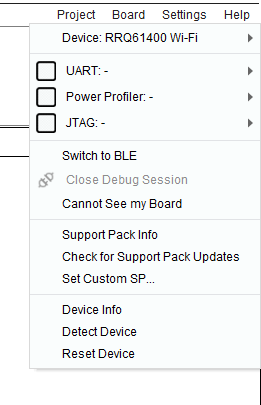
Figure 174 Switch from RA6W2_Wi-Fi to RA6W2_BLE
To communicate with the BLE chip through UART the appropriate image must be burned in Flash. If not burned, the user is prompted to burn the image when pressing the “Switch to BLE” button. Once the firmware starts running from the device, the suitable AT command is executed to switch to the BLE chip and reset it. If for any reason the connection to BLE chip is lost, the user is prompted to switch back to Wi-Fi and press again the “Switch to BLE” menu option.