1. Example description
This SDK6 DA14585 / DA14531 example demostrates how a peripheral device can track if it is scanned and which central device performs the scanning procedure. The central device needs to scan in active mode since the peripheral device will track if it is scanned via the scan request from central. The example doesn’t require any change in the SDK 6.0.14 code as in previous SDK releases, the scan request is tracked in every BLE END event.
The example can be downloaded from Here
2. HW and SW configuration
Hardware configuration
This example runs on The DA14585/DA14586/DA14531 Bluetooth Smart SoC devices.
The Basic / Pro Development kit is needed for this example.
Connect the DA145xx Pro Development Kit to the host computer.
UART TX on P0_4 for DA14585/DA14586 (place jumper between J1:17 and J1:18)
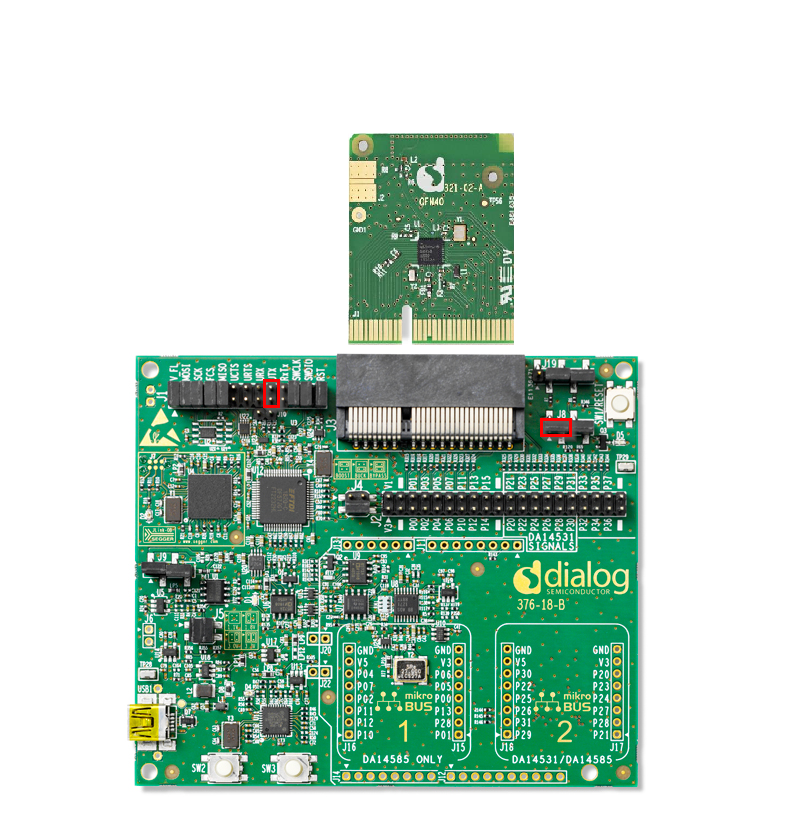
UART TX on P0_6 for DA14531 (Place wire between J1:17 and J2:27)
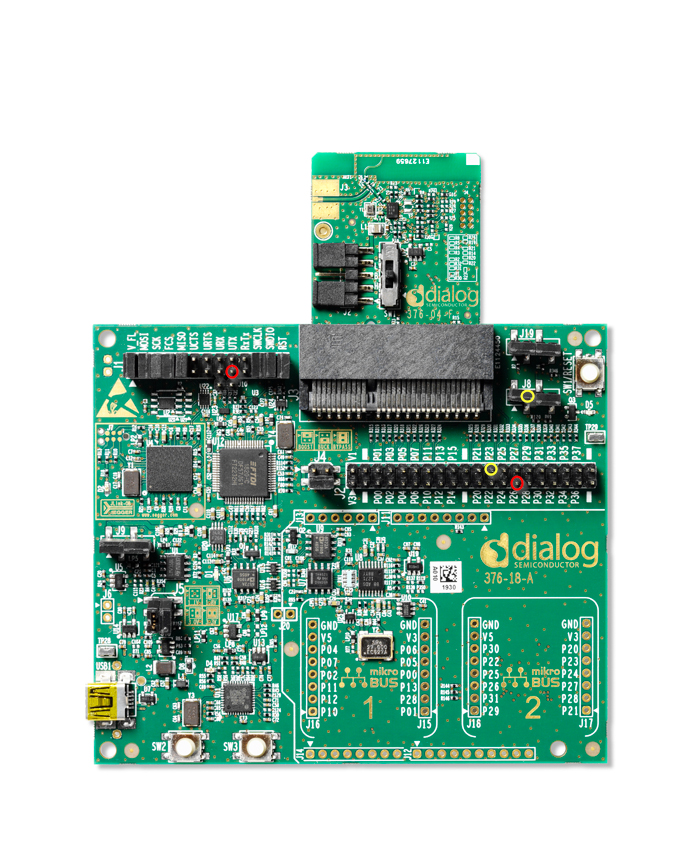
For the cursor to operate on DA14531 on the Pro Development kit a fly wire is needed connecting J2:24 with J8.2 pin (default jumper on J8 should be removed).
For the cursor to operate on DA14585 on the Pro Development kit a jumper is needed connecting J8:1 with J8.2 pin (default jumper connection).
Software configuration
This example requires:
Smartsnippets Toolbox 5.0.16.
SDK6.0.14
SEGGER’s J-Link tools should be downloaded and installed.
A simple serial terminal should be installed on the PC
3. How to run the example
For initial setup of the example please refer to this section of the dialog support portal.
3.1. Initial Setup
Compile and launch the example
Open the development kit serial port with the following parameters
 - baudrate: 115200
 - data: 8 bits
 - stop: 1 bit
 - parity: None
 - flow  control: none
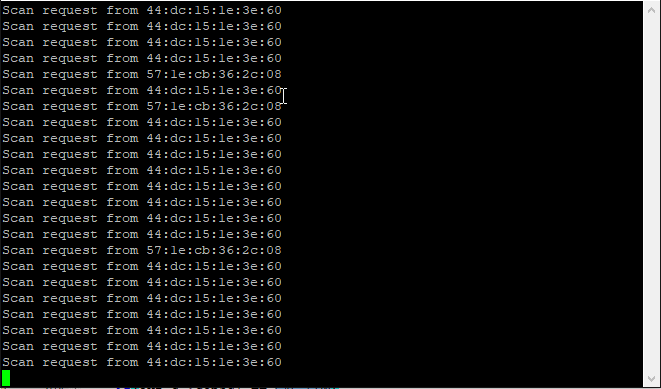
If the device is activelly scanned then the fw will print the bd addresses that are scanning the device.
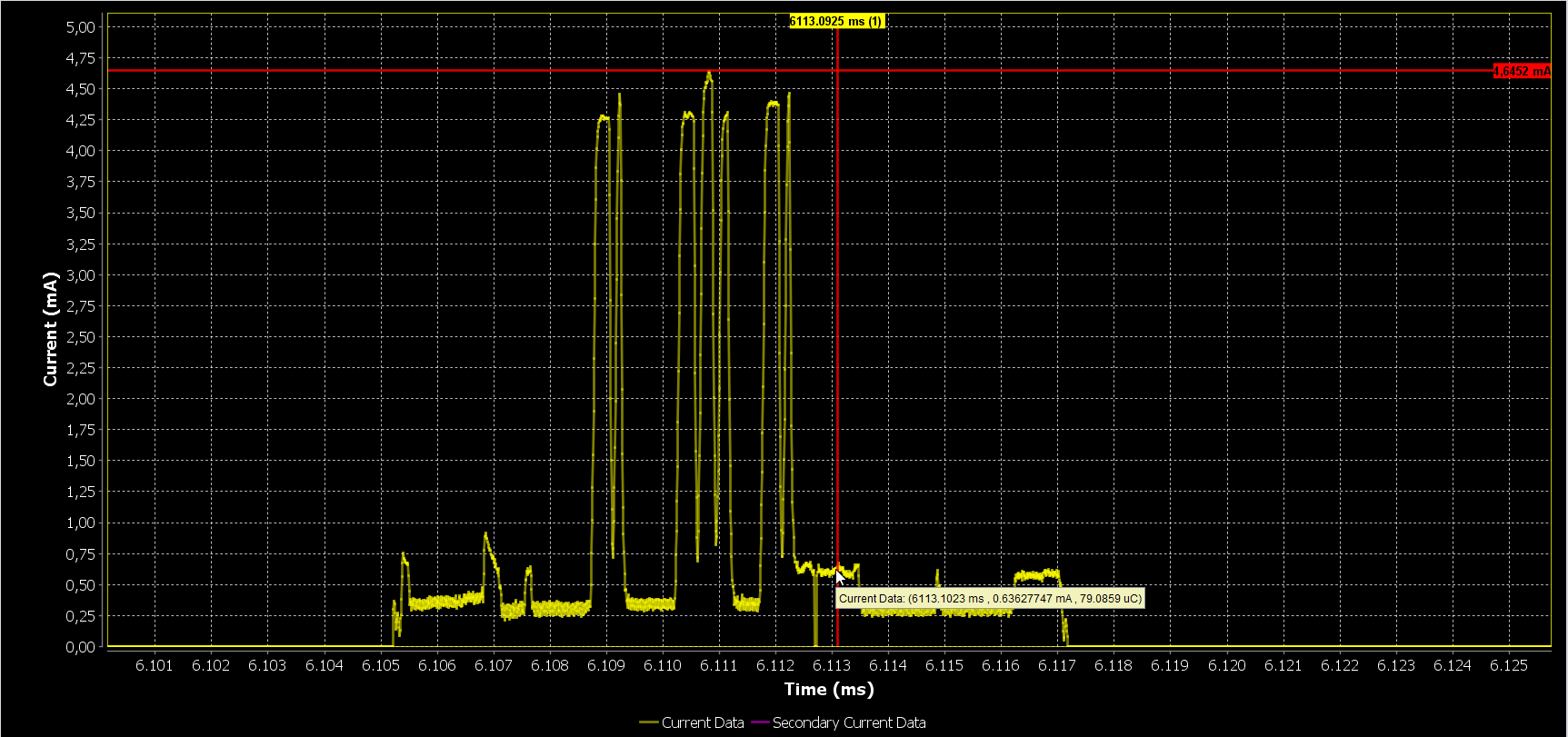
Also in the case of a scan request a cursor will also appear in the power profiler of Smart Snippets.
4. Known Limitations
There are no known limitations for this example. But you can check and refer to the following application note for known hardware limitations for DA1458x devices or known hardware limitations for DA14531 devices.
Dialog Software Forum link.
you can also refer to the DA14585/DA14586 Getting Started Guide with the PRO-Development Kit or the DA14531 Getting Started guide.
5. License
Copyright (c) 2021 Dialog Semiconductor. All rights reserved.
This software (“Software”) is owned by Dialog Semiconductor. By using this Software you agree that Dialog Semiconductor retains all intellectual property and proprietary rights in and to this Software and any use, reproduction, disclosure or distribution of the Software without express written permission or a license agreement from Dialog Semiconductor is strictly prohibited. This Software is solely for use on or in conjunction with Dialog Semiconductor products.
EXCEPT AS OTHERWISE PROVIDED IN A LICENSE AGREEMENT BETWEEN THE PARTIES OR AS REQUIRED BY LAW, THE SOFTWARE IS PROVIDED “AS IS”, WITHOUT WARRANTY OF ANY KIND, EXPRESS OR IMPLIED, INCLUDING BUT NOT LIMITED TO THE WARRANTIES OF MERCHANTABILITY, FITNESS FOR A PARTICULAR PURPOSE AND NON-INFRINGEMENT. EXCEPT AS OTHERWISE PROVIDED IN A LICENSE AGREEMENT BETWEEN THE PARTIES OR BY LAW, IN NO EVENT SHALL DIALOG SEMICONDUCTOR BE LIABLE FOR ANY DIRECT, SPECIAL, INDIRECT, INCIDENTAL, OR CONSEQUENTIAL DAMAGES, OR ANY DAMAGES WHATSOEVER RESULTING FROM LOSS OF USE, DATA OR PROFITS, WHETHER IN AN ACTION OF CONTRACT, NEGLIGENCE OR OTHER TORTIOUS ACTION, ARISING OUT OF OR IN CONNECTION WITH THE USE OR PERFORMANCE OF THE SOFTWARE.